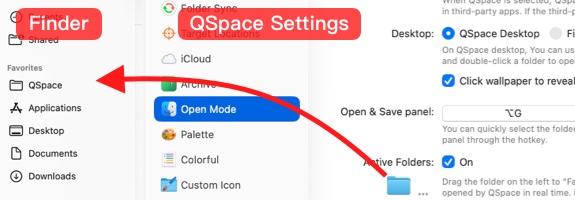
How to replace Finder?
Due to macOS's deep integration with Finder, QSpace cannot completely replace Finder at present, and may not work properly in some applications.
QSpace Settings > Open Mode
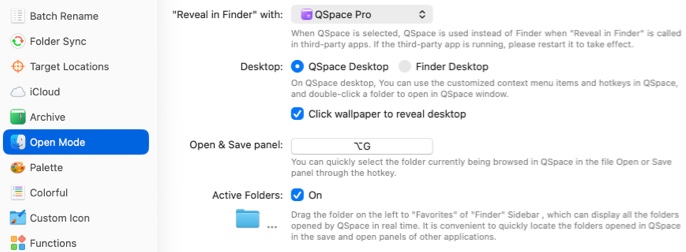
“Reveal in Finder” with Select QSpace Pro, then restart your system for the change to take effect.
 For the QSpace MAS, you need to copy and run the relevant commands manually in the Terminal app.
Desktop Select QSpace Desktop to use the QSpace Desktop as a replacement for the Finder Desktop.
Requires  QSpace Pro
Open & Save panel Set a custom hotkey to quickly navigate to the folder currently open in QSpace from a third-party app's file selection panel.
Requires QSpace Pro
Active Folders Enable active folders. You can then drag and drop it onto Finder's Favorites in the sidebar for quick access to folders opened in QSpace.