
Toolbar
Customize
On the toolbar, open the Context Menu > Customize Toolbar to access the customization panel.
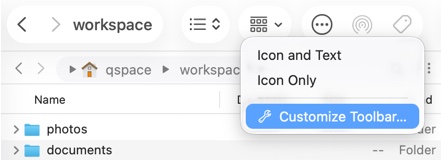
In the customization panel, drag and drop frequently used functions onto the toolbar for one-click access. To restore default options, drag the default set of functions (at the bottom) onto the toolbar.
Quick Launch
Drag and drop created Quick Launch items onto the toolbar for one-click access.
Bookmarks Group
Drag and drop a group of Bookmarks onto the toolbar for quick access.