
How to open desktop folders in QSpace?
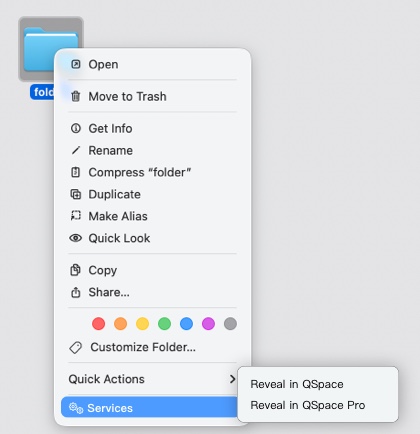
On the Desktop, after selecting a folder, open the Context Menu > Services > Reveal in QSpace.
Menu Bar > QSpace Pro > Enable QSpace Desktop
Requires  QSpace Pro
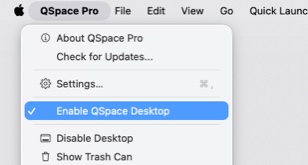
On the QSpace Desktop, you can double-click a folder to open it in a QSpace window.